Dialogue Enhancer
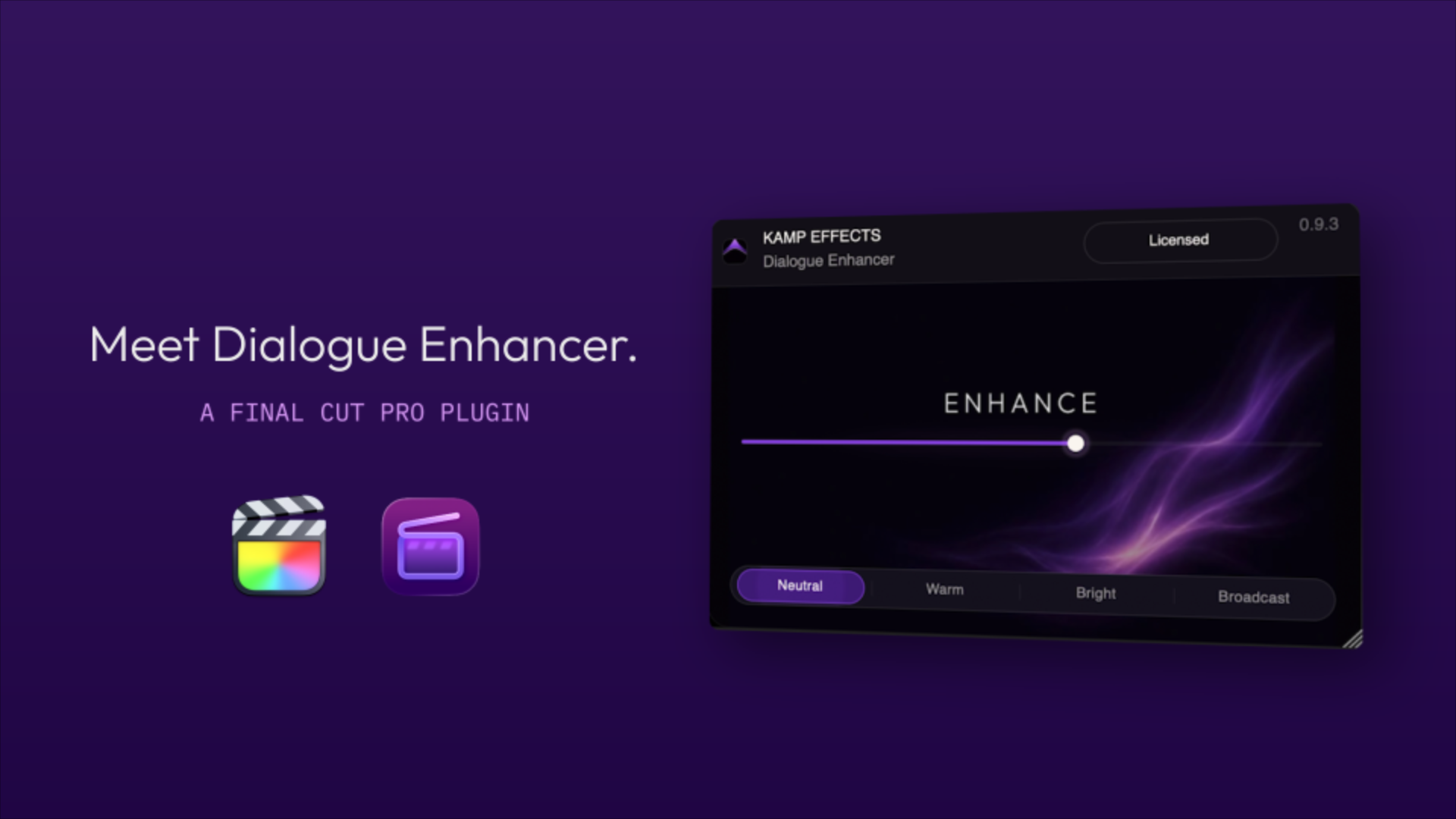
One knob for clearer, fuller dialogue — EQ, compression and saturation working together behind a calm interface. Built natively for Final Cut Pro.
RELEASES 31 JULY · OUR FIRST PLUGIN
Announcement video
One knob, three processes
Enhance macro
One slider drives EQ, compression and saturation together — tuned so dialogue gets clearer and fuller without sounding processed.
Sound presets
Neutral, Warm, Bright and Broadcast give you honest starting points. Pick a tone, then dial Enhance to taste.
EQ shaping
High-pass, body, mud cut, presence and air — each preset sets a different balance for thin lavs, dull rooms or finished delivery.
Smart compression
Dynamics follow the preset and the Enhance amount. Broadcast sits tighter; Warm stays relaxed.
Subtle saturation
A touch of harmonic density where the preset calls for it — warmth without grit.
Designed for clarity
Every element has a purpose. A calm, distraction-free interface that keeps your focus on the sound—not the controls.
Speaks fluent FCP
| Host | Final Cut Pro 10.6 or later (FCP 12 recommended) |
| System | macOS 13 Ventura or later · Apple silicon native, Intel supported |
| Formats | Any audio FCP can play · projects up to 48 kHz / 24-bit |
| Install | Signed & notarized installer · no account required to run |
| Status | Releases 31 July 2026 — our first plugin to ship |
- Enhance macro + four sound presets
- EQ, compression and saturation chain
- Native Audio Unit for Final Cut Pro
- The first Kamp plugin to ship
WE READ EVERY MESSAGE · NO SPAM LIST
Asked, answered
How is this different from Broadcast Audio Toolkit?
Broadcast Audio Toolkit masters your programme for delivery — intelligent loudness, tonal balance and stereo optimization across the full mix. Dialogue Enhancer is for making dialogue sit better on individual clips. They complement each other; neither replaces the other.
Is Dialogue Enhancer available to buy?
Not yet — it releases 31 July 2026, our first plugin to ship. Subscribe on the home page for launch updates, or write to us via Support if you want a heads-up on the day.
Will it fix a bad recording?
It can help thin, dull or uneven dialogue sound more polished — but it can't replace a good take or fix heavy room noise. For that, reach for clip editing first.
Does it work with Final Cut Pro 12?
Yes — FCP 12 on Apple silicon is our primary test environment. FCP 10.6+ on Intel is supported too.